Passwords

PREVIOUS  NEXT

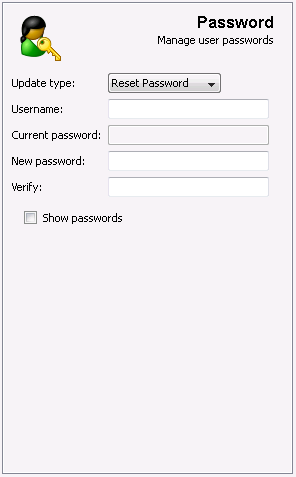
With this feature you can reset, change or verify the password of a user on multiple machines. This can be useful if you want to change the password of the Administrator account on workstations every few months for security reasons.


Update Type


Change Password:This is the default option, you will need to know the current password of the user account in order to change it.
Reset Password:If you do not know the current password but have rights to reset passwords (e.g. Administrator) then you can choose this option.
Verify Password:Select this option to verify the password of a user account. It is recommended to use this option on Windows XP, Windows Server 2003 and higher for perfomance reasons.


Username

Enter the username on the remote machine.


Current Password

Specify the current password of the account (when selecting "Change Password" or "Verify Password").


New Password (+Confirmation)

Specify the new password you would like to assign to the username.


Show what I type

Toggle the password fields so you can see the password as you type it.